
QR Menu for Hotels: Room Service, Breakfast and the Pool Bar Without the Phone Call
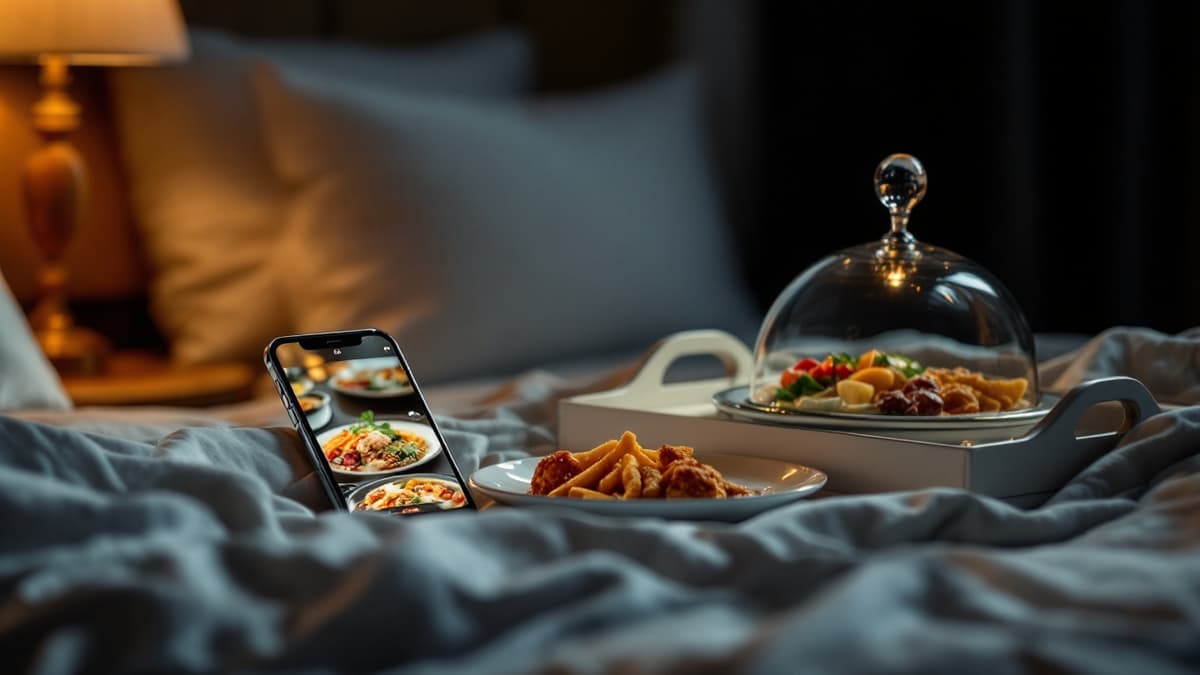
Hotels sell food in more places than any restaurant: a room-service tray at midnight, a breakfast room at 7:00, a pool bar at 15:00. Yet most of that food is still ordered through the worst channel hospitality ever invented, a phone call to an extension, in a language the guest may not speak, read from a laminated card printed two seasons ago. A QR menu for hotels replaces that call with a page the guest opens from the code on the key card sleeve or the lounger: dish videos, their own language, order and payment from the phone. This guide covers what's different about hotels, because a hotel is not a restaurant with beds upstairs.
For the fundamentals (what a QR menu is, how codes and ordering work anywhere), start with the cornerstone guide to QR menus for restaurants. Everything below is hotel-specific.
The room-service phone call is where hotels lose orders
Think about what ordering room service actually asks of a guest: find the directory, find the extension, call a stranger, and describe food they can't see in a language that may be their third. Every step loses people. Some give up at the laminated card with no pictures; many more quietly open a delivery app instead, and the hotel watches couriers walk through its own lobby carrying revenue it should have kept.
A QR menu removes every step. The code on the nightstand or key card sleeve opens the in-room dining menu in the phone browser: no app, no download, no call. Each dish appears as a vertical 9:16 video or photo with a description in the guest's own language, and the order arrives on the kitchen's real-time feed already tagged with the room number. The guest who would never phone an operator at 23:40 (jet-lagged, unsure of their English, or simply call-averse, which by now describes most travellers under 40) taps three times instead.
Multilingual guests are the default, not the exception
A city-centre restaurant might serve tourists on summer weekends; a hotel serves them every single night. On any given evening your room-service "dining room" holds German, French, Chinese and Brazilian guests simultaneously, and a phone-based operation forces every one of them through spoken English with a night porter.
With Disho, menu content is auto-translated into 12 languages (English, Spanish, French, German, Italian, Polish, Czech, Slovak, Lithuanian, Ukrainian, Belarusian and Russian) and the guest picks theirs on the first screen. The same club sandwich reads naturally in Warsaw Polish and Munich German, allergens included, without your team maintaining twelve card versions. Orders land in the kitchen feed in one language: yours. The misheard-over-the-phone order, "no onion" becoming extra onion, simply stops existing, because nothing was spoken. How the translation works dish by dish, and why machine-translating a PDF is not the same thing, is covered in restaurant menu translation.
One hotel, three menus: room, breakfast, pool
The biggest mistake hotels make with digital menus is publishing one giant menu everywhere. A guest on a lounger doesn't want to scroll past the pillow menu to find a mojito. Treat each context as its own menu with its own code:
- In-room dining: the full card, available late, with breakfast pre-orders for the morning.
- Breakfast: buffet add-ons and à-la-carte extras such as fresh-squeezed juice, eggs Benedict, a glass of cava. The buffet is paid for; the QR on the table sells what isn't.
- Pool and terrace bar: short, drinks-heavy, video-first. Nobody reads a wine essay in the sun.
Sections can be toggled on a schedule or by hand from the dashboard: breakfast dishes disappear at 11:00, the night menu appears at 23:00. One dashboard, one kitchen feed, but each guest sees only the menu that matches where they're sitting, which is the difference between a tool guests use and one they scroll past.
Where the codes go: key cards, nightstands, loungers
Placement decides usage, and hotels have better placement options than any restaurant. The highest-value spots:
- Key card sleeve: the one object every guest handles daily. A code on the sleeve puts the in-room menu in their pocket before they've found their floor.
- Nightstand or desk tent: where the room-service decision actually happens, at 22:50, next to the phone they were supposed to call.
- Pool loungers and cabanas: each lounger gets its own code, the same way restaurants do per-table codes, so "two Aperol Spritz" arrives at the bar tagged "lounger 14" and the runner stops doing laps looking for the order.
- Breakfast tables: for the paid extras next to the buffet.
Every code is a unique per-spot URL, printed from the dashboard in one batch. Room 214's code always says room 214; the kitchen never asks "which room was the burger for?". Laminated cards survive housekeeping and pool water, and any code reprints in seconds.
Night-shift ordering without a night-shift brigade
The 23:00-7:00 window is where the phone model fails hardest: one porter covering reception, the phone and the kitchen. Calls go unanswered, orders get scribbled, guests give up. The hours with the least staff are the hours guests most want food brought to a room.
A QR menu turns the night shift from an interruption-driven job into a queue. Orders arrive on the real-time feed with a sound alert and move through statuses (New, Accepted, Ready, Served), so a single person can run reception and the night kitchen without a phone wedged under one ear. Mark the full menu sold out at 23:00 and leave a tight night card of club sandwich, pasta, dessert and wine that one pair of hands can actually deliver. The guest sees exactly what's available right now, not a full card followed by a disappointing call-back. Payment is already handled at order time, so there's no 1 a.m. terminal-at-the-door dance either.
Video sells the upgrade: cocktails at the pool, extras at breakfast
Hotel food revenue lives in the upsell: the guest who came for the included buffet and added a €9 fresh juice, the lounger guest whose second cocktail arrived because ordering it took ten seconds. Video is the strongest upsell lever a menu has ever had. Grubhub's research found that menus with photos and complete information receive up to 70% more orders and up to 65% higher sales than text-only listings, and a Snappr study measured 35%+ more orders from high-quality food photos alone.
In a hotel those percentages have obvious homes. A ten-second clip of a spritz being built beats "Aperol Spritz, €12" on every lounger on the deck. Eggs Benedict with running yolk, on video, sells à-la-carte extras to buffet guests who'd otherwise never open the paid page. Disho plays a vertical 9:16 autoplay video per dish, with a Ken Burns photo fallback where you don't have footage yet, so the menu works on day one and gets more persuasive as you add clips.
Payment and the front desk, honestly
Guests pay at the moment of ordering with Apple Pay or Google Pay: two taps on the same phone the order came from. For the pool bar and breakfast extras this is strictly better than the alternatives. No card terminals crossing a wet pool deck, no unsigned chits stacking up, no disputed minibar-style charges at checkout. The mechanics of how payment ties to the order and what it costs are covered in QR ordering and pay at the table.
The honest caveat: Disho does not integrate with hotel PMS systems today, so orders don't post to the room folio; payment settles when the order is placed. For most properties that's an acceptable trade, and many prefer it: food revenue is collected instantly instead of joining the checkout bill, and there's nothing to reconcile at the desk. If folio posting is a hard requirement for your operation, that's the one factor to weigh before committing.
Rolling it out across 200 rooms
A hotel rollout sounds heavy and isn't, because rooms share menus. Two hundred rooms is one in-room menu and two hundred codes, and codes are the easy part: the dashboard prints the whole batch in one click, each mapped to its room or lounger. Creating a menu takes about five minutes before content work; a realistic full rollout (in-room, breakfast, pool, with photos and videos on the bestsellers) is a few evenings, not a project plan.
Sequence it by revenue: start with in-room dining, where the phone is losing you the most orders, then the pool in season, then breakfast extras. Disho is free during the open beta with no limits on rooms, dishes or orders, so the pilot costs nothing but the content work. Before deciding anything, open the live demo on your own phone and imagine it on a nightstand. It answers more questions than any feature list.
Frequently asked questions
Can guests charge QR orders to their room? Not today. There is no PMS integration, so orders are paid at order time with Apple Pay or Google Pay rather than posted to the folio. Upside: revenue is collected instantly and checkout stays clean. If folio posting is non-negotiable for you, weigh that before rolling out.
Do we need separate QR codes for the room, the breakfast room and the pool? Yes, and it's the whole trick: each context gets its own menu and its own codes, so the lounger shows drinks and the nightstand shows in-room dining. Orders arrive tagged with the exact room or lounger, and sections can switch on a schedule: breakfast off at 11:00, night menu on at 23:00.
What about guests who still want to phone in their order? Keep the phone line. Nothing forces a choice, and the printed card can carry the QR alongside the extension number. In practice the phone becomes the fallback for the minority who prefer it, while the majority order silently in their own language at any hour.
What does it cost a hotel to try? Nothing during the open beta: no limits on rooms, dishes or orders. Setup is about five minutes for the first menu; batch-printing codes for every room and lounger is one click from the dashboard. Pilot one floor or the pool bar for a weekend and read the order feed before deciding anything bigger.
Build your QR video menu in minutes
Try Disho free during the beta, no card required.
Get started freeRelated articles
Benefits (and Drawbacks) of QR Menus for Restaurants
The real benefits of QR menus — print savings, up to 70% more orders (Grubhub), faster tables — and the honest drawbacks, with fixes. QR menu pros and cons.
QR Menu for Restaurants: How It Works and Why Use One
What is a QR menu and how does a qr code menu work? Setup steps, real costs, honest pros and cons, and when paper is still enough.
Restaurant Menu Translation: How to Build a Multilingual Menu That Sells
Restaurant menu translation done right: what to translate, what to keep original, machine vs AI vs human — and how a multilingual menu wins tourists.