
QR Ordering and Pay at the Table: A Guide for Restaurants
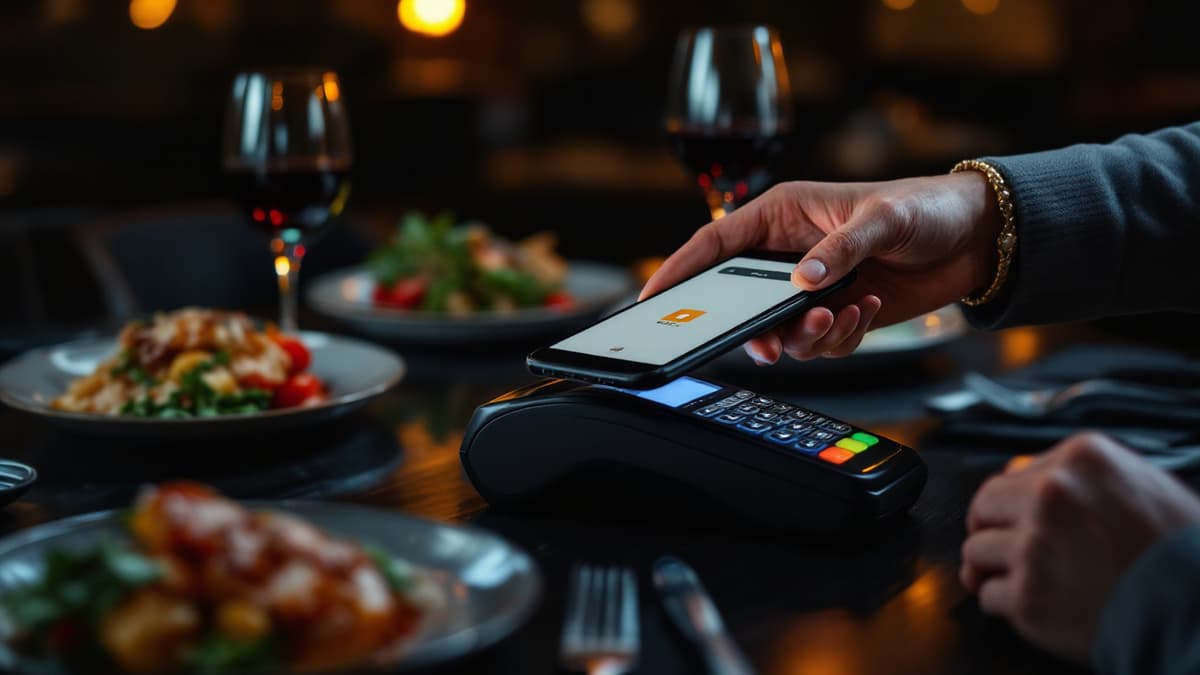
Handwritten pads and a card reader carried table to table are the two slowest links in a busy service. A QR ordering system removes both: guests order at the table from their own phone, orders stream straight to the kitchen, and payment happens in the same flow. This guide walks the whole chain end to end (scan, cart, kitchen feed, statuses, payment) plus the honest economics and the cases where self-ordering is genuinely the wrong tool.
How does a QR ordering system work end to end?
The guest scans the code on their table, browses the menu in the phone browser, builds a cart and sends the order. It appears on the kitchen screen instantly, tagged with the table number, and moves through four statuses until it is served. At the end, the guest pays from the same screen. No app is installed at any point.
Step by step:
- Scan. Every table gets its own QR code with a unique URL (in Disho it looks like
/r/your-restaurant/t/12). You print all codes from the dashboard in one click and arrange tables on a visual floor plan, with separate rooms and the terrace if you have one. - Browse. The guest lands directly on your QR menu, in Disho's case a vertical video feed where each dish autoplays muted, with a Ken Burns photo fallback when there's no video. The menu content translates into 12 languages, so a tourist orders in their own language without flagging down a waiter for explanations.
- Cart. The guest picks dishes, adjusts quantities and reviews everything before sending. Because the guest types nothing and the order is written by the person who will eat it, transcription errors (the "I said no onions" conversations) largely disappear.
- Send. The order arrives already tied to the right table. Nobody asks "which table was the burger for?"
You can run the guest side yourself right now on the live demo. Scan it with your own phone and place a test order.
What does the kitchen actually see?
The kitchen gets a real-time feed of incoming orders. New tickets appear on screen the moment a guest sends them, with a sound alert, no page refresh needed. Each order then moves through four explicit statuses: New → Accepted → Ready → Served. Everyone in the building knows exactly where each ticket stands.
The statuses matter more than they look. "Accepted" tells the floor the kitchen has seen the ticket; "Ready" is the pickup signal; "Served" closes the loop. During a Saturday rush this replaces the shouting match between pass and floor with a screen both sides trust. And because every order is logged, your analytics fill themselves in: revenue, average ticket, top dishes, orders by hour. That's data a paper pad never gave you.
Does order at table replace waiters?
No, it reallocates them. Taking an order and running a card payment are the two most mechanical parts of the job; a QR ordering system automates exactly those and returns the minutes to work that actually earns money: greeting, recommending, running food, reading the table.
Think about what a waiter's shift is actually made of. Writing down orders and processing payments are minutes spent as a human input device. When guests handle both themselves, the same headcount covers more tables, or covers the same tables noticeably better. In practice restaurants use the freed time for:
- Faster food running. Dishes reach tables while they're hot, because "Ready" pings the floor instantly.
- Real recommendations. A waiter who isn't buried in the pad can suggest the dessert or the second round. Menus with photos and video already push in that direction: Grubhub's research found that menus with photos and complete information receive up to 70% more orders and up to 65% higher sales than text-only listings.
- Fewer service gaps. Nobody waits ten minutes just to ask for the bill, which is the single most-remembered wait of the whole visit.
The staffing model shifts from "one person per N tables taking dictation" to "the team works the room". That's also why the benefits of QR menus compound once ordering is added on top of a view-only menu.
How does pay at table work, and what are the exact fees?
When guests finish, they tap "pay" on the same screen and confirm with Apple Pay or Google Pay via Stripe. The money goes directly to the restaurant's own Stripe account; Disho never holds your funds. The fee is transparent: 1.5% + €0.10 per transaction to the platform, plus Stripe's own processing fee on top.
A concrete example: on a €50 bill, the platform fee is €0.85 (€0.75 + €0.10). Stripe then charges its standard processing rate for your country and card type. That part is Stripe's pricing, not ours, and you see it in your own Stripe dashboard because the account is yours.
Two honest notes. First, the fee only applies to payments taken through the table flow. Guests who prefer to pay cash or at the till simply do, and you pay nothing on those. Second, the platform itself is free during the beta with no limits on tables, dishes or orders; after the beta the Pro plan is €40/month with a 3-month trial, and beta accounts keep a permanent discount.
Why wallet payments specifically? Because they remove the two failure points of pay-at-table: typing card numbers on a phone (guests abandon) and waiting for a terminal (guests queue). A double-click on the side button and the table is free. That's the whole point: the last ten minutes of a visit are usually dead time for the table, and turning them into turnover is where the revenue is.
When should you NOT use self-ordering?
Skip self-ordering when guided service is the product: fine dining with a sommelier, tasting menus, omakase. There, the conversation with staff is what guests pay for, and a phone in the middle of it subtracts value. A video menu can still work as a shop window, but ordering should stay with the humans.
Other cases where I'd hold off:
- Counter-service concepts where guests order at the till anyway. Table QR adds a step instead of removing one.
- Venues that need deep POS integration today. Disho doesn't integrate with iiko, R-Keeper, Toast or Square yet (it's on the Pro roadmap), so orders live on the kitchen screen, not inside your POS. For many independents that's fine; for a chain with central reporting it may not be.
Where it shines: casual dining, terraces in season, and high-volume cafés and bars, where the second round of drinks depends entirely on how fast someone can order it.
How do you switch it on?
Setup takes an afternoon, not a project: build the menu, connect Stripe, print the codes, brief the team. Concretely:
- Create your restaurant and menu in Disho (import or add dishes; generate photos and descriptions from the dashboard if you're missing media).
- Connect your own Stripe account. Payments flow to you from the first transaction.
- Lay out your floor plan, then print all per-table QR codes in one click.
- Brief the team on the four statuses and who watches the kitchen screen.
- Run one full service in parallel with your old flow, then check the analytics: orders by hour will show you exactly where the bottleneck used to be.
Frequently asked questions
Do guests need to install an app to order at the table? No. The QR opens the menu in the phone's browser; ordering and payment both happen there. Apple Pay and Google Pay are built into the phone already, so payment is a fingerprint or a double-click, not a card form.
What does pay at table cost per transaction? The platform fee is 1.5% + €0.10 per transaction, plus Stripe's own processing fee. On a €50 bill the platform part is €0.85. Payments taken in cash or at the till cost nothing; the fee applies only to the table flow.
Where does the money go? Directly to your restaurant's own Stripe account via Stripe Connect. Disho never holds your funds, and you see every payout in your Stripe dashboard.
Can guests still order through a waiter? Yes. QR ordering is a parallel channel, not a replacement. Staff can always take an order in person; regulars who prefer talking to a human lose nothing, while the table next to them orders a second round in 30 seconds.
Does it integrate with my POS? Not yet. Orders arrive on the real-time kitchen screen with sound alerts and statuses; POS integrations (iiko, R-Keeper, Toast, Square) are on the Pro roadmap. If your operation can run from a kitchen screen, as most independents can, you can start today.
Build your QR video menu in minutes
Try Disho free during the beta, no card required.
Get started free