
QR Menu for Restaurants: How It Works and Why Use One
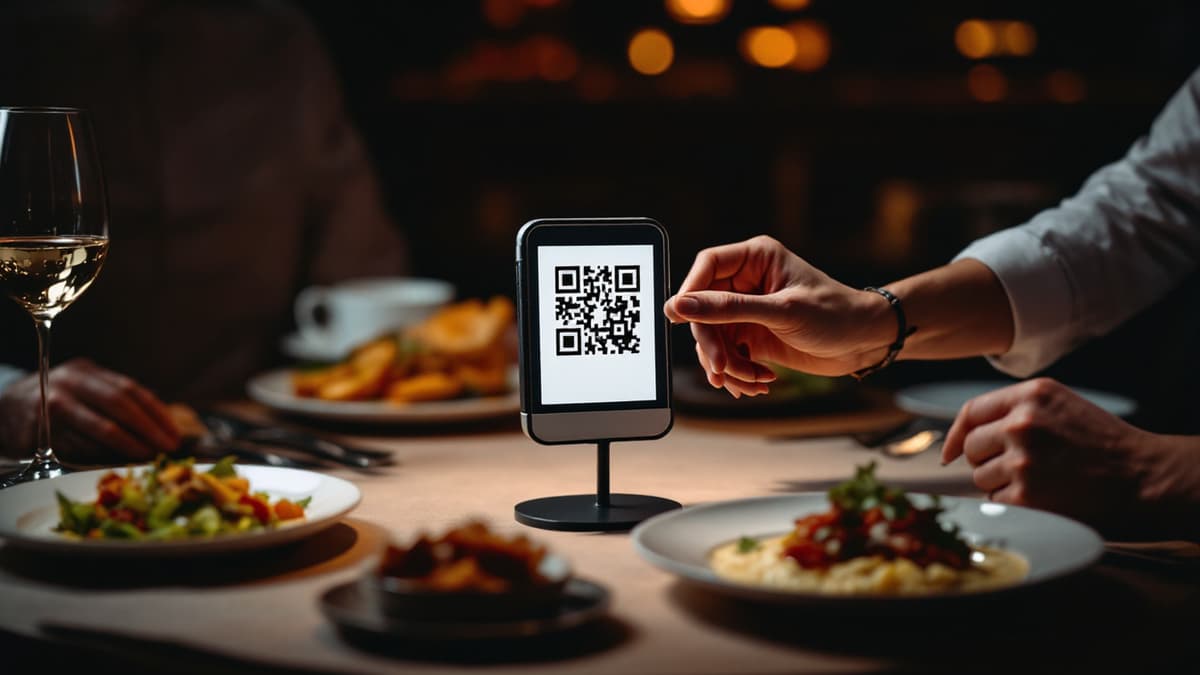
A QR menu for restaurants replaces the printed card with a web page your guests open by pointing their phone camera at a code on the table. No app, no download. Done well, it is far more than a PDF: guests browse dishes with photos or video, order from their seat and pay with Apple Pay or Google Pay before you've cleared the starters. This guide covers what a QR menu actually is, how it works step by step, what it honestly costs, and, just as important, when you shouldn't bother.
What is a QR menu?
A QR menu is your restaurant's menu published at a unique web address and opened by scanning a QR code with a phone camera. The guest needs no app: the browser opens, and every dish appears with a picture or video, description, price and allergen notes, in the guest's own language.
The practical difference from paper is control. Change a price, mark a dish sold out or launch a lunch offer from the dashboard, and every table sees it within seconds. With paper, the same change means a print run, and most restaurants quietly tolerate wrong prices for weeks because reprinting 60 cards is a chore. We've laid out the full head-to-head on durability, hygiene, cost per change and guest preference in digital menu vs paper menu. The short version: paper still has legitimate uses, but it loses badly on anything that changes more than once a season.
How does a QR code menu work, step by step?
The mechanics take one afternoon: you build the menu in a web dashboard, the platform generates a QR code that links to it, you print the codes and put them on the tables. Guests scan, browse and, on interactive platforms, order and pay without flagging anyone down.
Here is the full flow as it works in Disho:
- Create your restaurant and menu. Add sections and dishes in the dashboard. If you have no decent media, AI generation is built in: a dish photo costs about €0.15 and takes ~45 seconds; a 9:16 video about €2.20 and ~90 seconds; descriptions €0.03 per language, and the model sticks to the ingredients you typed rather than inventing ones you don't serve.
- Get one QR per table, not one per restaurant. Each table has its own URL, so every order arrives already tagged with the table number. No "which table was the burger for?" radio chatter. You print all codes from the dashboard in one click and arrange them on a visual floor plan, multi-room if you need it.
- Guests scan and order. The menu opens in the phone browser. Orders reach the kitchen screen in real time with a sound alert and move through New → Accepted → Ready → Served, so the pass always knows what's in flight.
- Guests pay at the table. Apple Pay or Google Pay via Stripe, with the money going straight to your own Stripe account. The platform never holds your revenue.
If you want the detailed setup walkthrough with print sizes and table-tent tips, it's in how to make a QR menu, and the ordering-and-payment side is covered in depth in QR ordering and pay at the table. To feel the guest experience before deciding anything, scan the live demo with your own phone. It answers more questions than any article.
QR-PDF vs interactive QR menu vs video menu: which do you need?
There are three tiers. A QR-PDF is your paper card scanned and hosted. It kills reprinting costs and nothing else. An interactive QR menu is a real web page: instant edits, languages, ordering, payment, analytics. A video menu adds a short vertical clip per dish, and that is the tier that actually sells food rather than merely listing it.
Be honest with yourself about which tier you need. If your card changes twice a year and guests order through waiters anyway, a QR-PDF is genuinely enough. Don't pay monthly for features you'll never open. The jump to interactive pays off the moment you want same-day price edits, sold-out toggles or orders from the table. The jump to video pays off through the food itself: a slowly-pulled cheese, a steak hitting the grill, a cocktail being poured make guests order dishes they would have skipped as three words of text. Grubhub's research found that restaurants with photos and complete menu information receive up to 70% more orders and up to 65% higher sales than text-only listings. We unpack why moving images outsell static lists in menus with photos and video. And if you're comparing providers across all three tiers, best QR menu platforms is an honest rundown, including where Disho is not the right pick.
What do you actually gain? The benefits, with numbers
The measurable wins are four: printing costs go to zero, the average ticket rises when dishes are shown rather than described, staff stop spending time on routine order-taking and bill-splitting, and you finally get data (revenue, top dishes, peak hours) instead of gut feeling.
- Printing: €200-600 a year saved for a typical 15-25 table venue that reprints seasonally plus every time a supplier changes a price. A seasonal terrace menu swap becomes a ten-minute dashboard job instead of a print order.
- Up to 70% more orders and 65% higher sales with media-rich menus versus text-only, per the Grubhub research. Video also gives you a merchandising lever paper never had: pin high-margin dishes first in the feed. More levers (anchoring, pairing prompts, offer timing) in how to increase your restaurant's average ticket.
- Staff time: when guests order and pay themselves, a server covers more tables during the rush instead of shuttling card machines. That's not about cutting staff. It's about your best people selling and hosting rather than transcribing.
- Data: revenue, average ticket, top and flop dishes, orders by hour. Knowing that your third-best-selling dessert has the best margin changes what you put at the top of the menu.
None of this engagement is hypothetical. It's what we see live: across 5,100 unique guests over 30 days in our own beta restaurants on the Costa del Sol, 51% of visitors open at least one dish card, only 7% of sessions end with no interaction at all, and ~96% of sessions come from phones. The menu meets guests on the device already in their hands.
The complete list, including hygiene and out-of-stock handling, lives in benefits of QR menus.
What does a QR menu cost, honestly?
Ballpark for the market: QR-PDF tools are free to ~€10/month, interactive platforms €20-60/month, and payment processing always costs a percentage on top. Disho is free during the beta with no limits on tables, dishes or orders; after the beta, Pro is €40/month with a 3-month trial, and beta accounts keep a permanent discount.
Variable costs are the honest part most pricing pages hide. Pay-at-table carries a platform fee of 1.5% + €0.10 per transaction on top of Stripe's own fee. If you only use the menu and take payment your usual way, you pay nothing per order. AI media is pay-per-use from a wallet: filling a 40-dish menu with photos costs about €6; adding video to your ten bestsellers about €22, once. There are genuinely free ways to start, with their real trade-offs spelled out, in free QR menu.
Common objections, and straight answers
The usual worries are older guests, dead zones on the terrace, losing the human touch and data privacy. All four have workable answers, and one of them, poor mobile coverage, is a legitimate reason to wait.
"My older regulars won't scan anything." Keep paper alongside; nothing forces a choice. Disho exports the menu to PDF so your printed copies always match the live one. In practice a handful of paper cards behind the bar covers the guests who want them.
"Coverage on my terrace is patchy." The menu is lightweight and loads on weak signal, but if there's genuinely no data and no guest Wi-Fi, fix that first. No QR product works in a dead zone.
"I don't want to lose contact with guests." The QR takes the routine (reciting the menu, splitting bills) and leaves your team the parts that earn tips: recommending, upselling, hosting. Tourist-heavy rooms feel this most: guests order confidently in their own language (menu content translates into 12 languages: English, Spanish, French, German, Italian, Polish, Czech, Slovak, Lithuanian, Ukrainian, Belarusian, Russian; see restaurant menu translation) instead of pointing at neighbours' plates.
"What about guest data and my POS?" Guests stay anonymous, with no signup and no tracking profile, and the stack is GDPR-compatible and can be self-hosted with Docker. On integrations, the honest answer: there are no POS integrations yet; iiko, R-Keeper, Toast and Square are on the Pro roadmap. If a live POS sync is a hard requirement today, that matters for your choice.
Who shouldn't bother with a QR menu?
Skip it, at least for now, if you run a tasting-menu room where the narrated menu is the show, a five-item counter spot where a chalkboard does the job, or a venue with no reliable mobile coverage. A tool should solve a problem you actually have.
The flip side: the venues that gain most are tourist-area restaurants juggling five languages a night (see the on-the-ground case in QR menu in Marbella) and high-turnover cafés and bars, where guests ordering a second round without waiting for a server is measurable revenue. If your evenings involve either a language barrier or a queue of raised hands, the maths favours scanning.
Can a QR menu talk to your other tools?
Yes. A menu that lives online can be automated and queried. Disho connects to n8n for restaurant workflow automation (morning stop-list sync, order alerts in Telegram, weekly revenue reports) and to AI assistants: you can connect your restaurant to Claude and ChatGPT and manage the stop-list or ask "what sold best this week?" right from a chat.
Frequently asked questions
Does the guest need to install an app? No. The menu opens in the phone's browser the moment the camera reads the code. Nothing to download, no account to create.
What's the difference between a QR-PDF and a real QR menu? A QR-PDF is a static scan of your paper card: cheap, but no ordering, no instant edits, no analytics. An interactive QR menu is a live web page with per-table ordering, payment and multi-language support.
Can I keep my paper menu too? Yes, and you should while your guests transition. Disho exports the live menu to PDF, so printed copies never drift out of date.
How many languages does the menu support? Menu content translates into 12 languages, including English, Spanish, French, German, Italian, Polish, Czech, Slovak, Lithuanian, Ukrainian, Belarusian and Russian, per dish, chosen by the guest.
How long does setup really take? One afternoon for a 40-dish menu: an hour to enter dishes, minutes to generate missing photos with AI, one click to print all table codes. Most venues take their first table-tagged order the same day.
Build your QR video menu in minutes
Try Disho free during the beta, no card required.
Get started freeRelated articles
Benefits (and Drawbacks) of QR Menus for Restaurants
The real benefits of QR menus — print savings, up to 70% more orders (Grubhub), faster tables — and the honest drawbacks, with fixes. QR menu pros and cons.
QR Menu for Hotels: Room Service, Breakfast and the Pool Bar Without the Phone Call
How a QR menu for hotels fixes room service ordering, feeds multilingual guests, splits breakfast, pool and in-room menus, and upsells with dish video.
Restaurant Menu Translation: How to Build a Multilingual Menu That Sells
Restaurant menu translation done right: what to translate, what to keep original, machine vs AI vs human — and how a multilingual menu wins tourists.